.svg)


Connecting Your Instagram Professional Account to Intaker
The steps to connect your Instagram Professional account with your Intaker Dashboard.

Transcript

Prerequisites
Before you begin, please ensure you have the following:
- An Instagram Professional Account Connected To A Facebook Page: You should have already set this up before starting.
- Administrator access in your Intaker dashboard: This is necessary to connect your Facebook Page to Intaker.
- An Instagram AI Agent: This is the AI Agent that will be used to interact with your leads. Be sure to select “Instagram AI Agent - Capture new leads” when configuring the AI Agent.
- One or more Instagram accounts for testing
Step-by-Step Connection Guide
Follow these steps to successfully connect your Instagram Professional Account.
- Select the Instagram Business Integration in the Intaker Dashboard:
- Click on “Integrations” on the left side menu
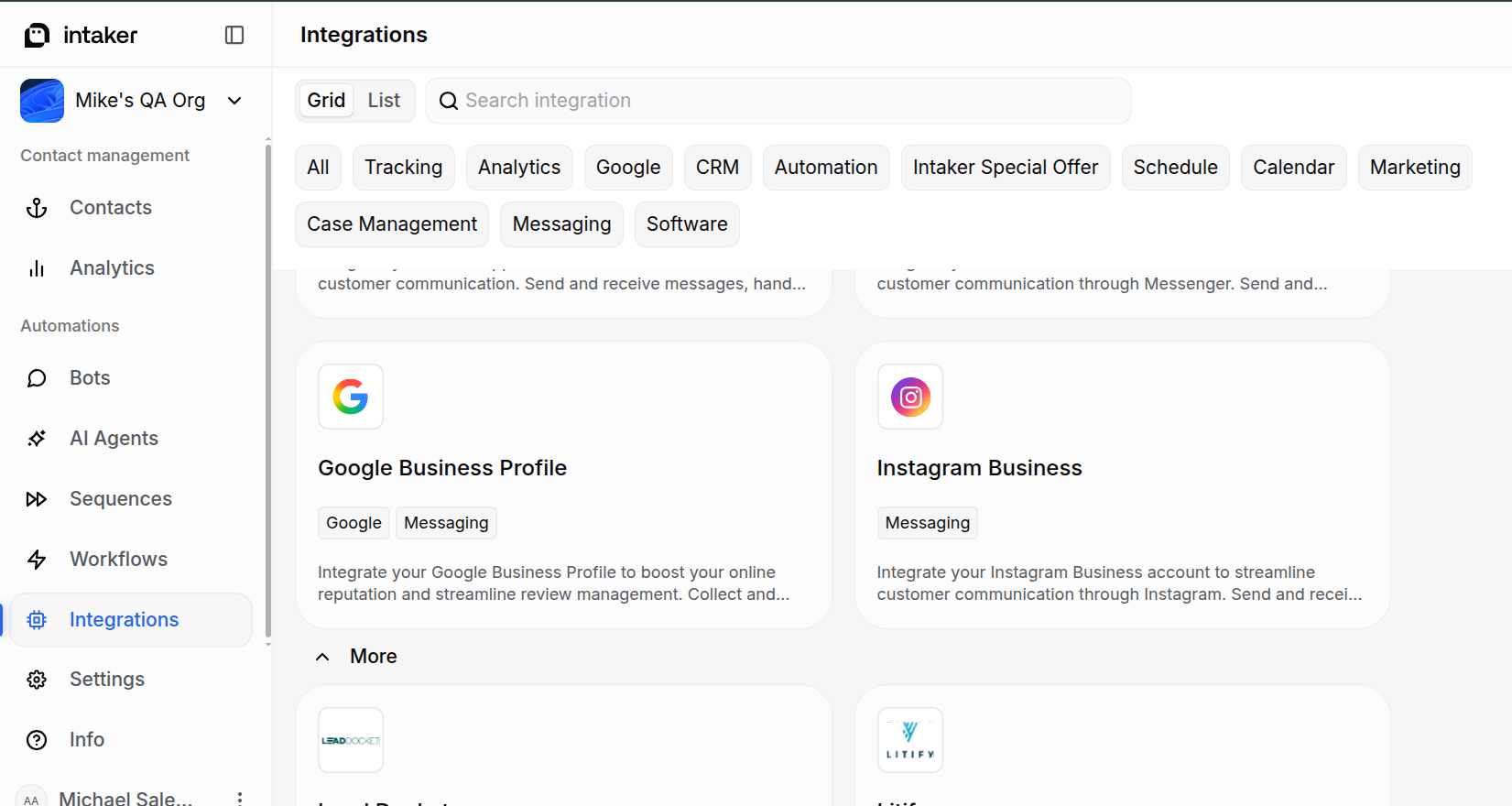
- Click the “Instagram Business” card
- Click the “Activate” button

- If you are not already logged into Facebook, you will be asked to login. Please use the Facebook account that has access to your Facebook Business Manager. You may be shown other screens, like two-factor authentication, depending on how your Facebook account is configured.

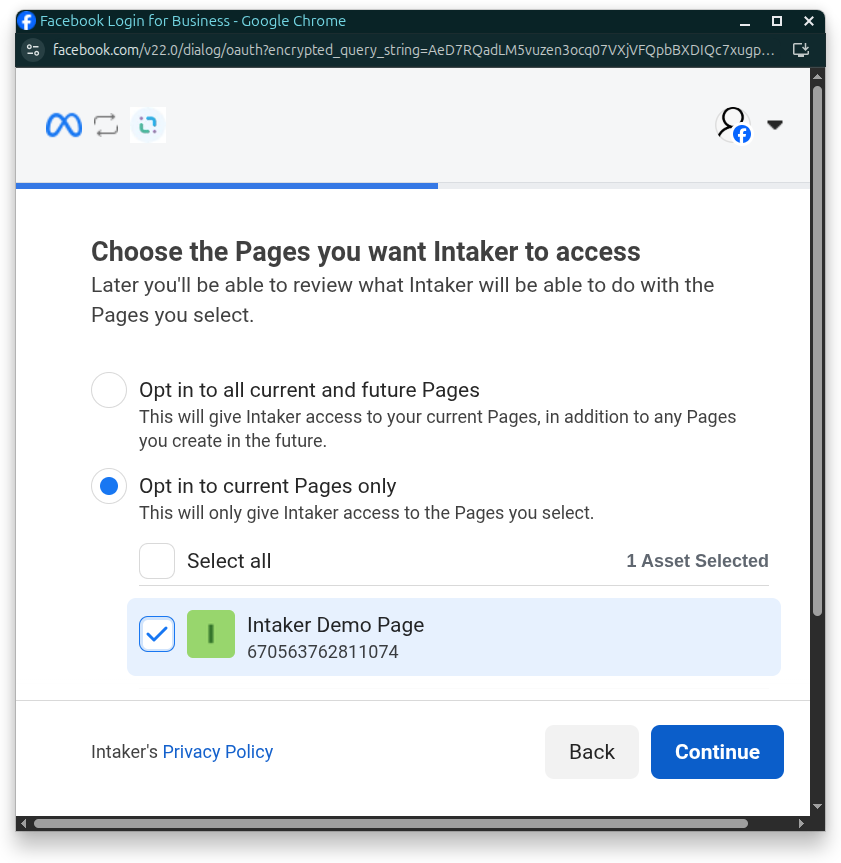
- Select the pages you would like to connect to Intaker.
IMPORTANT: If you have connected one or more Facebook Business accounts to your organization with your Facebook user, do not unselect those pages in this step. Doing so will disconnect those pages in your organization’s Facebook Business Integration.
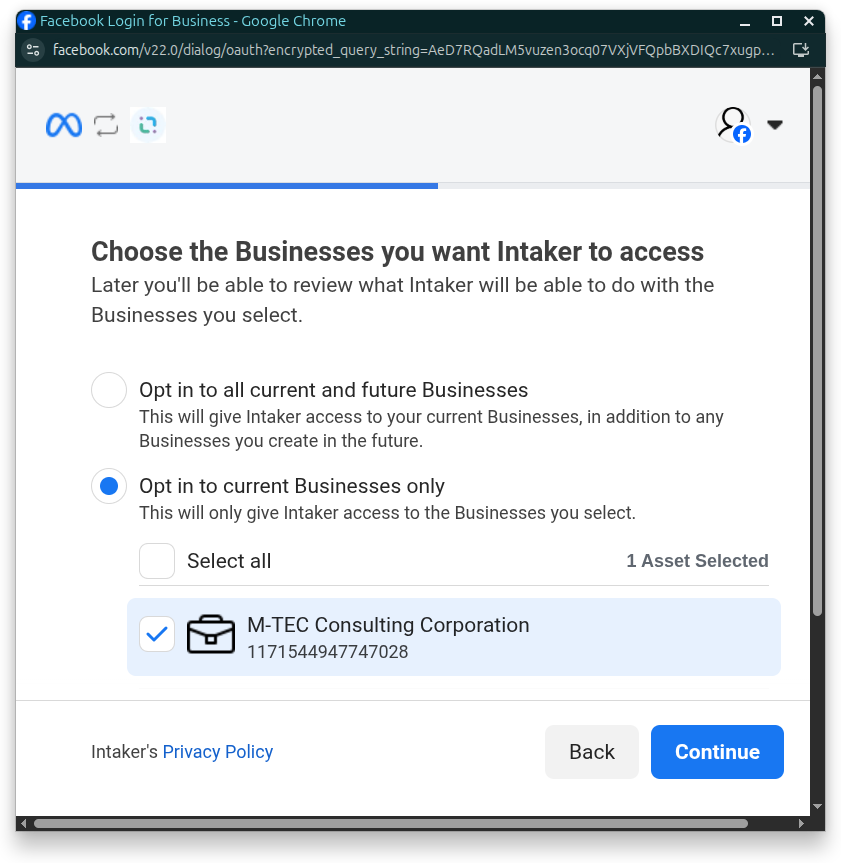
- Select your business portfolio. If you do not have a business portfolio, select “Opt in to all current and future Businesses”.
IMPORTANT: If you have connected one or more Facebook Business accounts to your organization with your Facebook user, do not unselect businesses in this step. Doing so will disconnect those pages in your organization’s Facebook Business Integration.
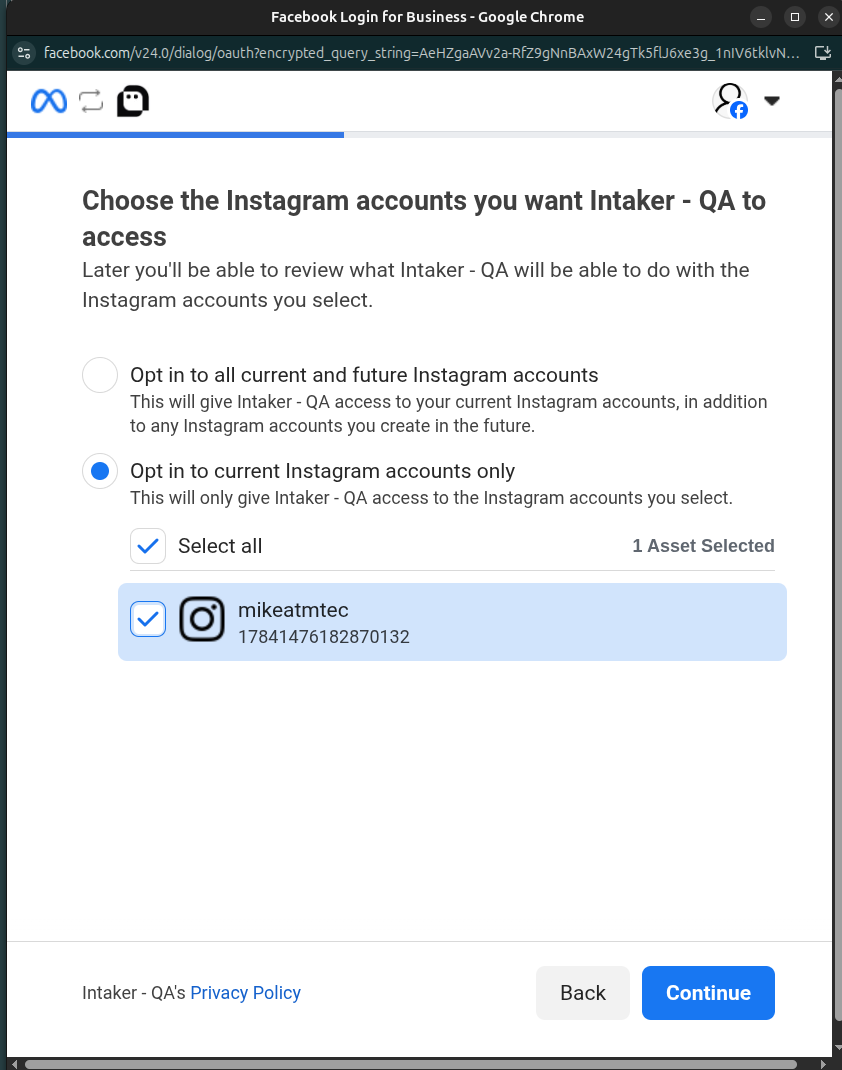
- Select the Instagram account that you want to connect to Intaker.
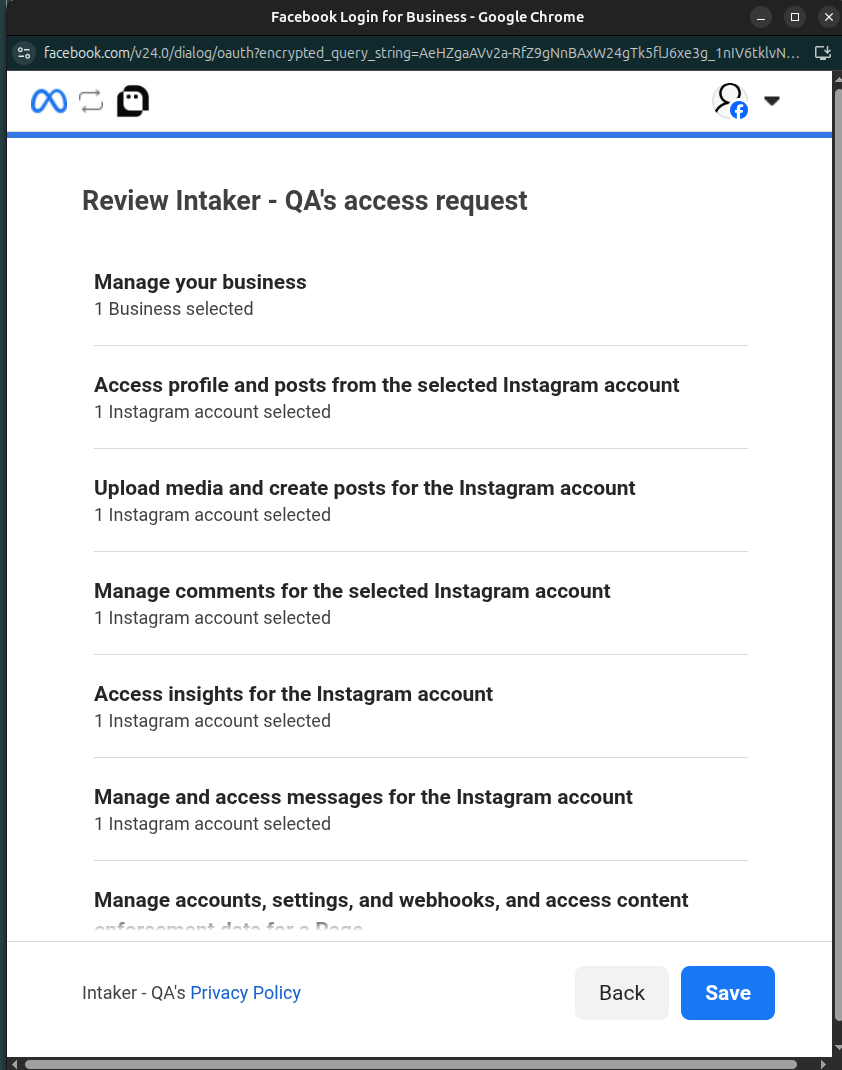
- Review the changes that will be made once you connect your Instagram Professional account to Intaker
- Click “Save” to complete the setup
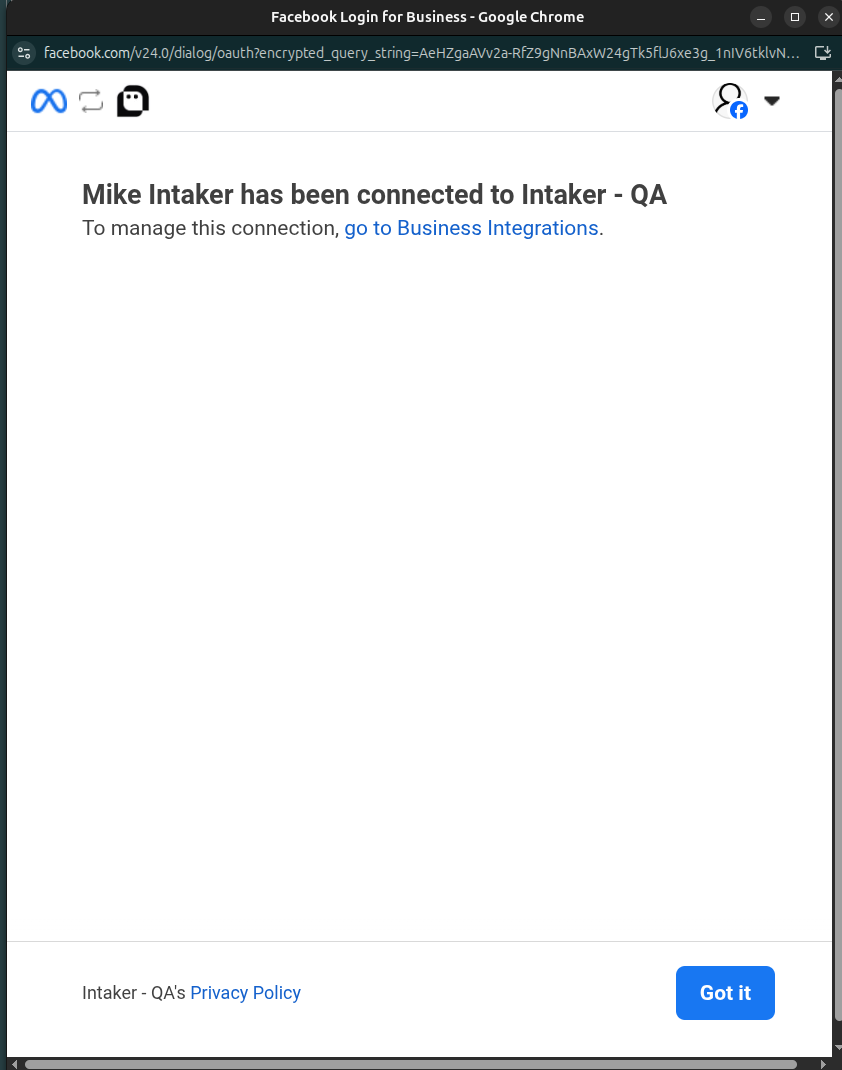
- After saving, any Facebook Business accounts you kept selected will also appear in your Instagram Integration list, even though they aren't used there. You can safely remove them from the Instagram Integration.
Do not remove these accounts from your Facebook Business Integration — that integration still needs them, and removing them there will stop it from working.

- Link the connected account to the AI Agent:
- Next to your newly connected account, click the three dots and select “Configure integration”

- Click the “Link AI Agent” button
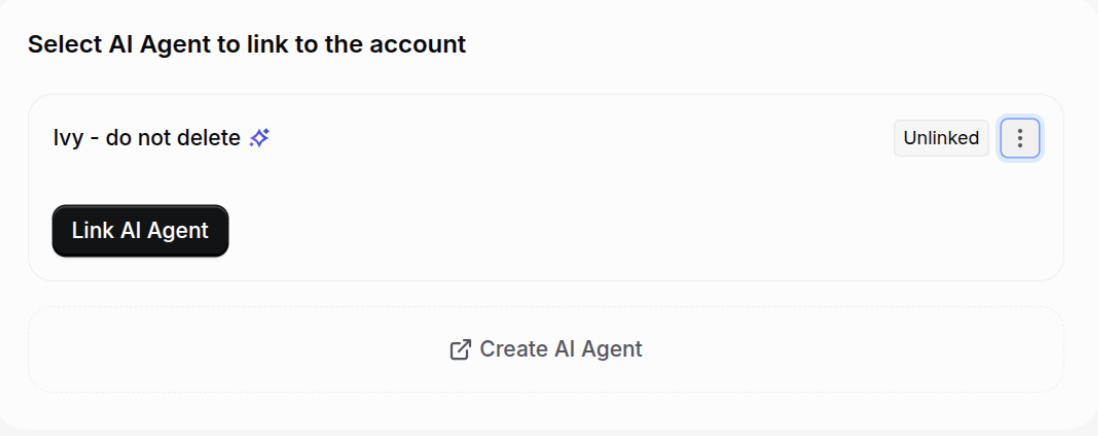
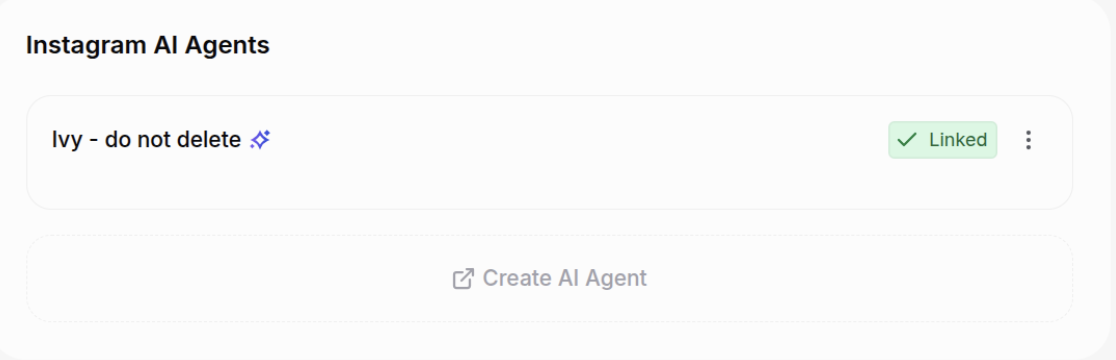
- Your Instagram AI Agent should now have a “Linked” status.
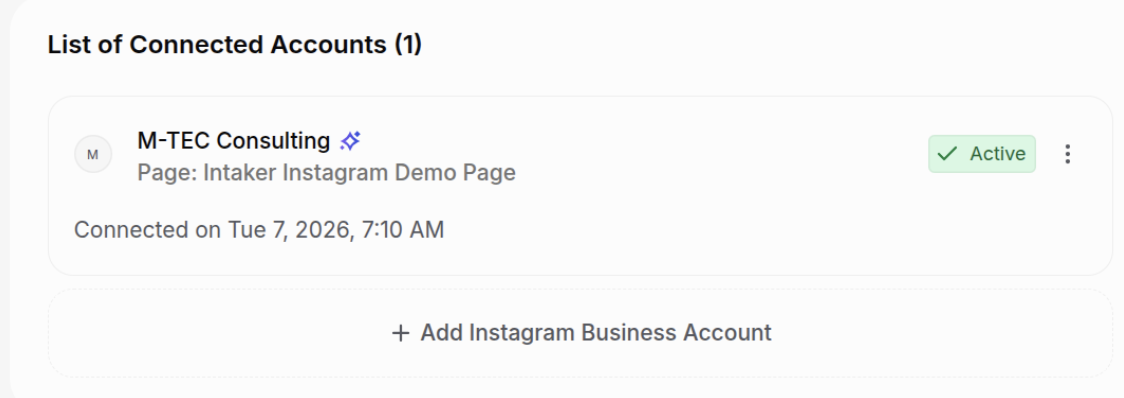
- Your Instagram Integration should now have an “Active” status
- Test your connection:
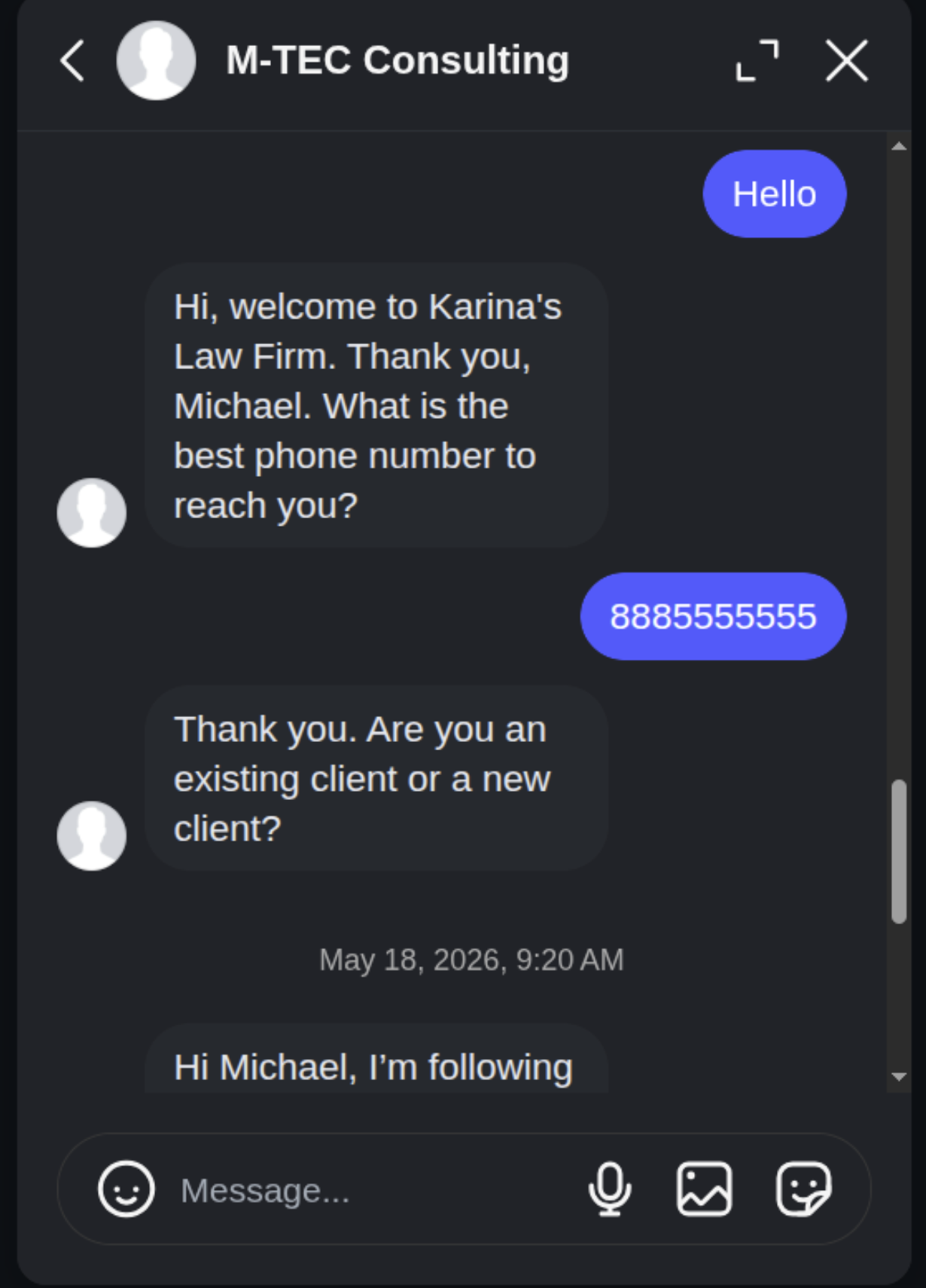
- Using one of your test Instagram accounts, send an Instagram message from your Instagram account, as if they were a lead
- If your connection is successful, you should receive a response from the AI Agent
Troubleshooting
| Problem | Solution |
|---|---|
| I'm getting this error: Invalid Request: Request parameters are invalid: Invalid platform app | This error occurs when you are logged in with an Instagram personal account. Personal accounts will not work. |
| I am unable to send an Instagram Message to a lead that contacted my organization several days ago | Facebook has a strict policy of not letting companies contact Instagram users after 24 hours have passed since the last message from the Instagram user. Once the 24 hours have passed, you will no longer be able to send an Instagram message to the Instagram user until they initiate a new message to your company. |
| I changed the password on the Facebook account that connected my Page to Intaker, and now my AI Agent no longer works | Facebook will invalidate the connection if the user changes their password. You will need to reconnect. |
| I was able to login to Facebook and select both my page and Instagram account, but after the login, my account is shown as Disconnected in the dashboard. | Make sure that your Instagram account is a connected asset in your Facebook Business Manager. You should see both the Instagram user name and Facebook Page name if you have successfully connected your Instagram account to Intaker.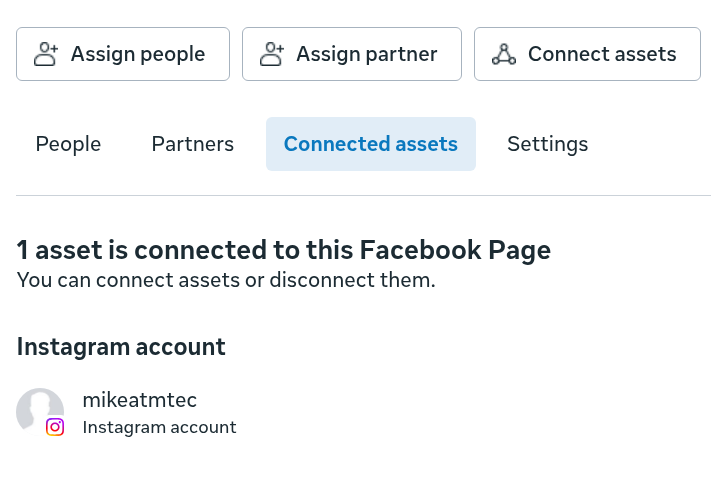 |
| My previous connected account in my Facebook Business Integration now shows as “Disconnected” after connecting my Instagram account. | Make sure you did not unselect any pages or businesses that your Facebook Business Integration uses while connecting your Instagram account. Doing so will disconnect them from Intaker. |
